Case file 001 / Kissimmee, Florida
A salon. A system. A story still being written.
Daystar built a connected digital experience around Beauty Gallery Salon: its public website, customer journey and owner-side tools. Explore real captured interfaces below.
Interactive project atlas / Real screenshots
Look inside the work.
Choose a captured interface. Screens are sanitized where private records or operating figures appear. This tour is evidence of the documented Beauty Gallery project, not a live production login.
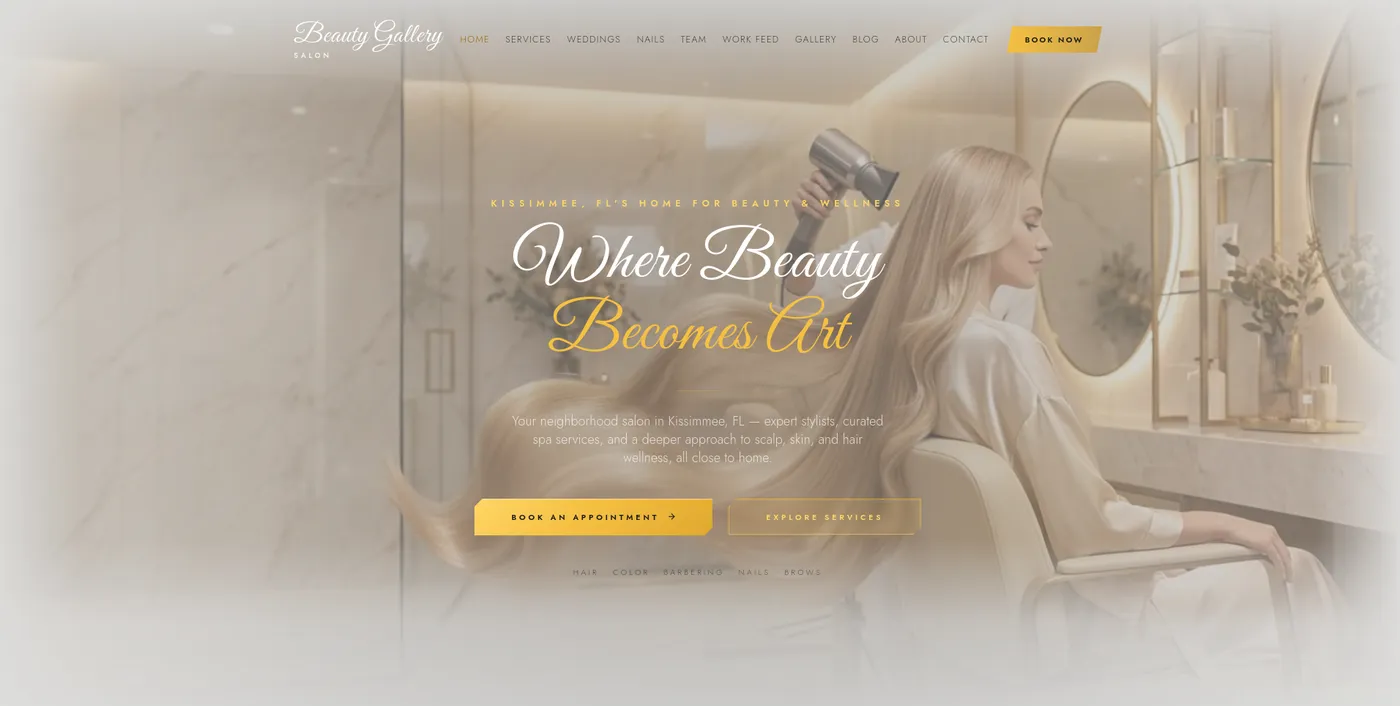
Public website
A branded public entrance to the salon and its services.
- Source
- Captured project screen
- Privacy
- Public page capture
- Status
- Evidence of documented work, not a live login
Interactive field demo
Use the real Beauty Gallery app.
This is the actual Beauty Gallery application code running in a sandbox with invented sample data, so you can book, browse and switch between the customer, owner and staff views. Nothing you do here is sent anywhere, saved, or connected to the real salon. Reload to reset.
Browse services and artists, book, manage appointments.
The experience people encounter.
From the first visit to a service, booking request and return visit, these are the public and customer-facing pieces of the documented system.
Case file 001 / Beauty Gallery Salon
One business. Connected work.
These are the documented pieces of the Beauty Gallery project. A different business may need a different combination.
The customer experience
- Custom website
A branded public site for services, pricing, wellness and the team.
- Booking calendar
A multi-step flow for service, stylist, date and time; the salon confirms each request.
- Customer accounts
A returning customer can use supported Google, Apple or email sign-in.
- Scalp wellness check
A guided consultation connects to the service and booking journey.
- Work feed
A place for stylist work that customers can explore, like, comment on and save.
- Installable web app
The documented web experience can be added to a supported home screen. This is not a claim of native app-store publication.
The owner's working system
- Owner Command Center
A connected view of the business. Operating figures are masked in the public evidence.
- AI assistance and marketing
Drafting and automation tools support owner decisions; output is reviewed before publishing or sending.
The Customer Experience
How A Customer Uses The System
Real product demo · Beauty Gallery's actual booking system
Browse Real Services & Pricing
The customer opens beautygallerysalon.com and browses the actual service menu — hair, color, barbering, nails, brows, and treatments.
Book A Service Or Free Consultation
A service, stylist, and time slot are selected through the live booking calendar.
Get Confirmation
The customer receives confirmation of the requested appointment.
Create An Account
Customers can sign in with Google, Apple, or email to return, browse the Work Feed, and book again.
Real Booking Menu
Beauty Gallery's Actual Hair Services & Pricing
Pulled directly from Beauty Gallery's live booking calendar — prices shown as listed, subject to change on the live site.
Hair is one of eight bookable categories — the calendar also covers Nails, Lashes, Waxing, Barber, Scalp / Hair Care, Makeup, plus free consultations.
The Booking Experience
A Real, Multi-Step Booking Calendar
1. Choose A Service
Hair, Nails, Lashes, Waxing, Barber, Scalp/Hair Care, Makeup, or a free consultation.
2. Choose A Stylist
Book with the team member of your choice.
3. Choose Date & Time
Pick from the salon's real availability.
4. Confirm
Review and submit the appointment request.
Stay Connected Between Visits
The Work Feed
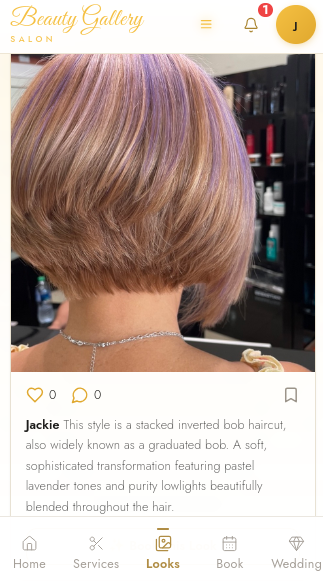
A social feed built directly into Beauty Gallery's app for showcasing stylist work — customers can like, comment, save favorites, and book what they see, all from a free account.
A real stylist post from Beauty Gallery's live work feed.
The working side of the business.
Owner tools connect operational visibility, marketing work and requests. Public evidence is masked where private records or figures would appear.
Behind The Business
The Owner Experience
The Beauty Gallery owner dashboard Daystar Creations built. Operating figures are masked for this public presentation.
AI-Assisted Marketing
What The AI Assistant Can Help Create
The real AI Command Assistants built into Beauty Gallery's owner portal — used to draft marketing campaigns and customer communications.
Automatic Blog Writer
Describe a topic and the AI drafts the title, excerpt, body and SEO description. Nothing is published until the owner reviews and chooses to.
The real Blog Manager in Beauty Gallery's owner portal — tap to enlarge.
Business Analytics
The Owner Dashboard Analytics View
Appointments Booked
•••
Customer Activity
•••
Marketing Engagement
•••
Metrics shown are sanitized demonstration data, not Beauty Gallery's real performance numbers. The dashboard gives the owner this visibility in real time.
What Happens Automatically
Automation Built Into The Business
Beauty Gallery wasn't built as a collection of disconnected screens. Daystar connected key parts of the customer journey and business workflow so information can move through the system without the owner or team having to manually repeat every step.
Booking Automation
Selecting a service, stylist, date and time creates the appointment request directly inside Beauty Gallery's system — no separate calendar to re-enter it into. Each request arrives as pending and is confirmed by a member of the team.
Customer Data Centralization
As bookings come in, the system matches or creates the customer record and connects it to the appointment, instead of the booking living in one tool and the customer list living in another.
Appointment Confirmation
Once a booking is submitted, the customer receives confirmation of the requested appointment through the system.
AI-Assisted Marketing
The AI assistant drafts messages like reminders and promotions. The owner reviews and approves each one before the system sends or schedules it — AI assists the process, it doesn't run unsupervised.
Owner Dashboard Visibility
Appointments, customer activity, and marketing tools feed into one owner dashboard automatically, instead of requiring the owner to build manual reports.
Automation That Follows The Customer Journey
From the moment a customer books to the moment a marketing message goes out, Beauty Gallery's system keeps information moving instead of requiring the owner to manually re-enter the same details in multiple places. Daystar built the individual tools to work together — not as disconnected software subscriptions.
How the system works / Connected overview
From Customer To Owner
Select a part to see what it does and which real captured screens document it. This overview shows the documented relationship between parts; it does not claim live integrations beyond what the case file evidences.
Part 01 of 05
Customer
The person who finds the salon, looks at services and decides to request a booking.
No separate captured screen for this step. It is the person using the public website shown in part 02.
Why the pieces belong together.
The case file closes with scope context, documented changes and a path to inspect Beauty Gallery's public customer experience.
This Wasn't Off-The-Shelf Salon Software.
Beauty Gallery wasn't handed a template and told to change the logo. The technology was built around the actual business — its services, its prices, its customers, its staff, its appointments, its marketing, and the way the owner runs the salon.
That's the difference between subscribing to another generic platform and having technology built around your business.
Operating Capability
Before Daystar vs. After Daystar
Before
- No unified online booking calendar
- No digital service menu with pricing
- No customer accounts or way to save/return online
- No social feed to showcase real stylist work
After
- A branded website with a real, priced service catalog
- A multi-step booking calendar (service, stylist, date & time); every request is saved to the salon's system for the team to confirm
- Customer accounts with Google, Apple, or email sign-in
- A free Scalp Wellness Check built into the booking flow
- A Work Feed built for customers to like, comment on, and save stylist work
- An installable web experience on supported devices; packaged app delivery and store review require separate confirmation
- An owner dashboard with AI-assisted marketing automation
This Is What Access Looks Like
Technology like this is routinely available to large companies with large budgets.
Daystar Creations exists to make that kind of capability accessible to small-business owners too.
Beauty Gallery was the first. The next transformation could be yours.
Don't Just Look At The Demo
Visit The Real Beauty Gallery Experience
This isn't a concept project or a fictional mockup. Visit Beauty Gallery's real customer-facing website and experience part of the technology built around the business.
Live Beauty Gallery customer experience.
Visit BeautyGallerySalon.comThe Technology Is Only Half The Story
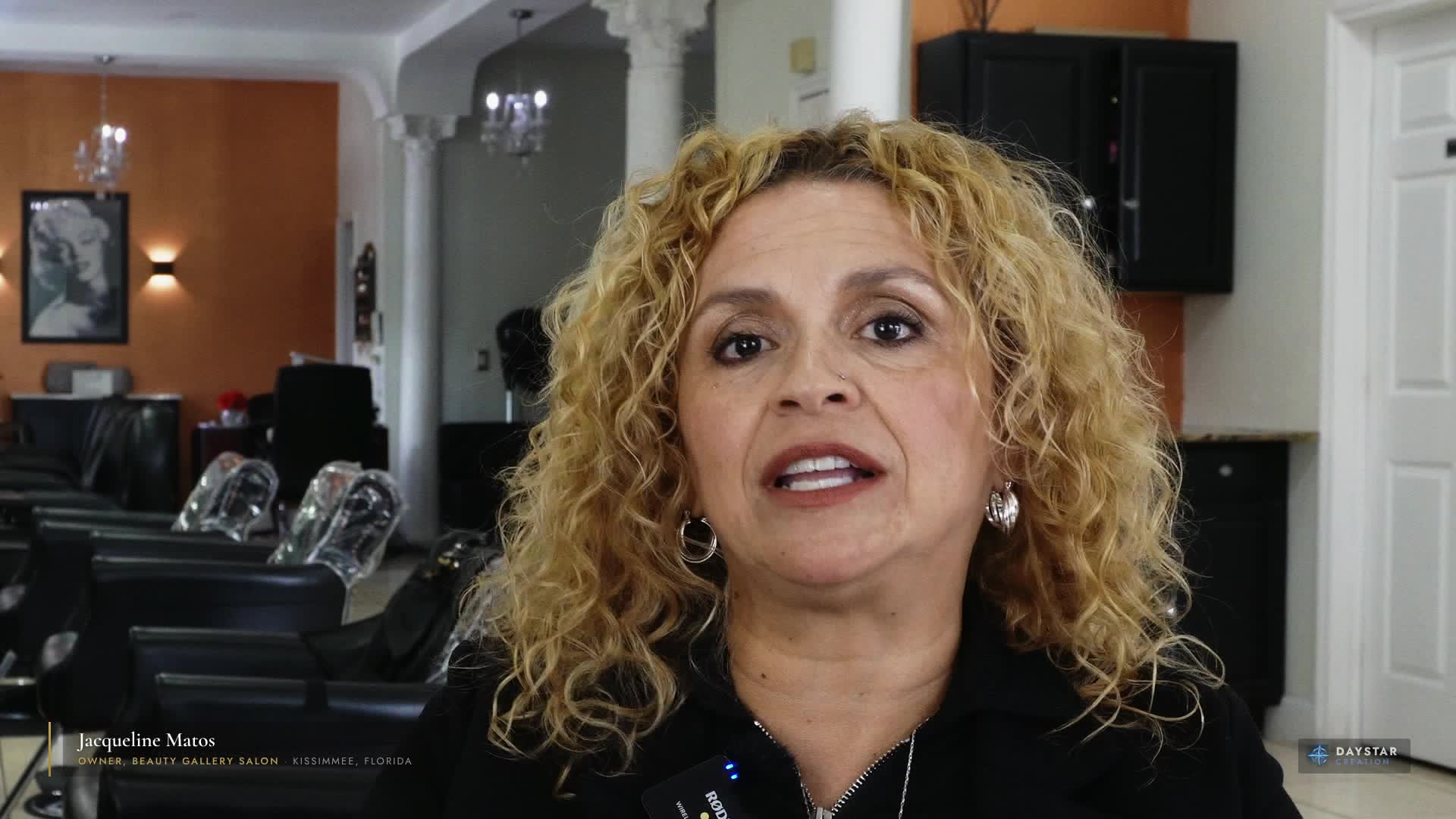
Behind Beauty Gallery is a real small business, a real owner, and the years of work it took to build something customers and families depend on.
What Could We Build For Your Business?
For the next 12 months, Daystar Creations is selecting one small business each month for a free technology transformation.