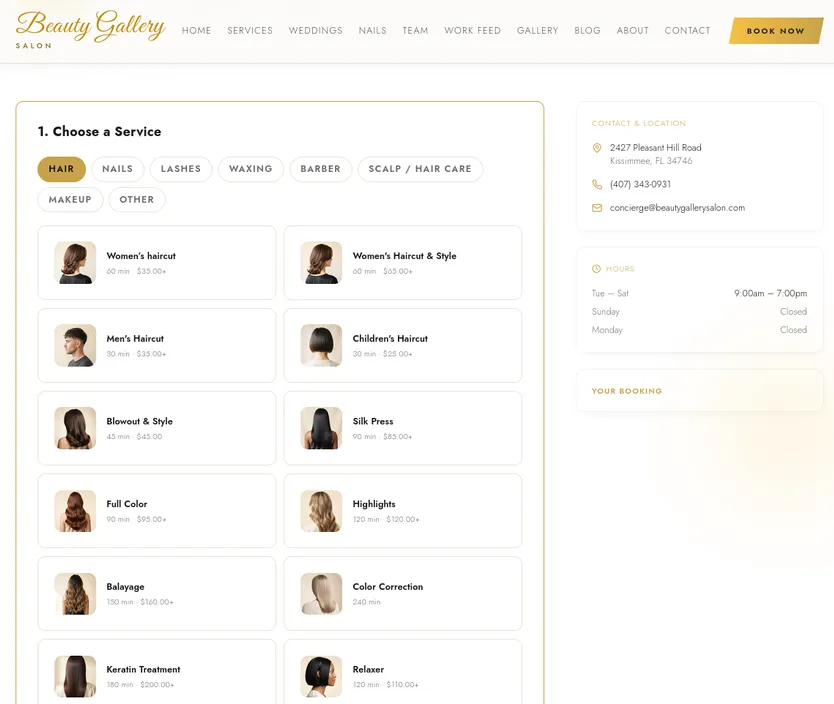
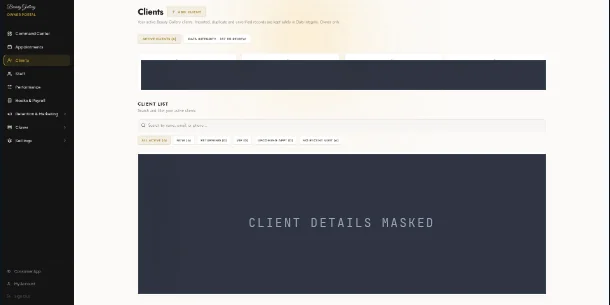
From customer action to daily operation. A business application connects the request a customer makes with the records and work your team needs to complete.
Follow the work / Beauty Gallery
A booking is more than a button. The customer selects a service. The application records the request. The owner sees the work in the tools built for that business.
01 Customer discovers a service02 Booking enters the system03 Customer account retains context04 Owner reviews the operationCustomer-facing booking interface Owner-side customer records · personal details masked See the documented workflow Optional project add-on · Eligibility verified first
A connection between the counter and the application. $0 promotional setup for eligible new projects
Complimentary POS Integration Setup is available for eligible new projects. Catalog, order, inventory or reporting data may be connected where the provider permits it and the agreed scope calls for it.
Discuss POS compatibility Scope, in plain language
What a project may include. What needs a separate decision. Businesses whose work requires more than public pages: customers or staff need accounts, records, bookings, approvals or role-based workflows.
Possible agreed deliverables A browser-based experience for the agreed customer and staff roles. Business records, forms and workflow rules defined in the project scope. An owner or administrative interface where included in the agreed project. A documented release, access and data-handoff plan for the selected system. Not automatic A private dashboard or authenticated portal is not itself a public search-optimized website. External services, usage charges, hosting, migration and ongoing support remain separate unless written into scope. A simpler subscription tool may be more appropriate when it already fits the workflow. From idea to authorized launch
A clear route through the work. 01 Understand the business need02 Recommend an approach and define scope03 Approve the project terms04 Design, build and review the agreed work05 Test and prepare for an authorized launch06 Support and improve under a separate agreed planBefore you begin
Questions worth asking. Custom quote based on workflows, user roles, integrations, data and release needs.
Can customers use a web app in a browser? Yes. A web app is accessed through a web browser; its exact user roles and features are defined in the project scope.
Will a private portal appear in search results? Private or authenticated pages should remain protected. Public marketing pages can be scoped separately when search visibility is relevant.
Could an existing subscription tool be enough? Yes. If a current tool fits the workflow, it may be simpler and less costly than custom development.
Continue exploring Websites & SEO-Ready Design Mobile App Development Custom Business Software Daystar Launchpad
Start with the outcome
Let's define the right scope. Tell us what your customers and team need to accomplish. Daystar confirms the written scope and costs before work begins.